Chill Bill

Split bills,
not friendships.

Scan any receipt. Tap your items. Send a link. Friends pick what they had — even if they're not at the table anymore. No math, no Splitwise account, no arguing.
Download on the
App Store
Get it on
Google Play
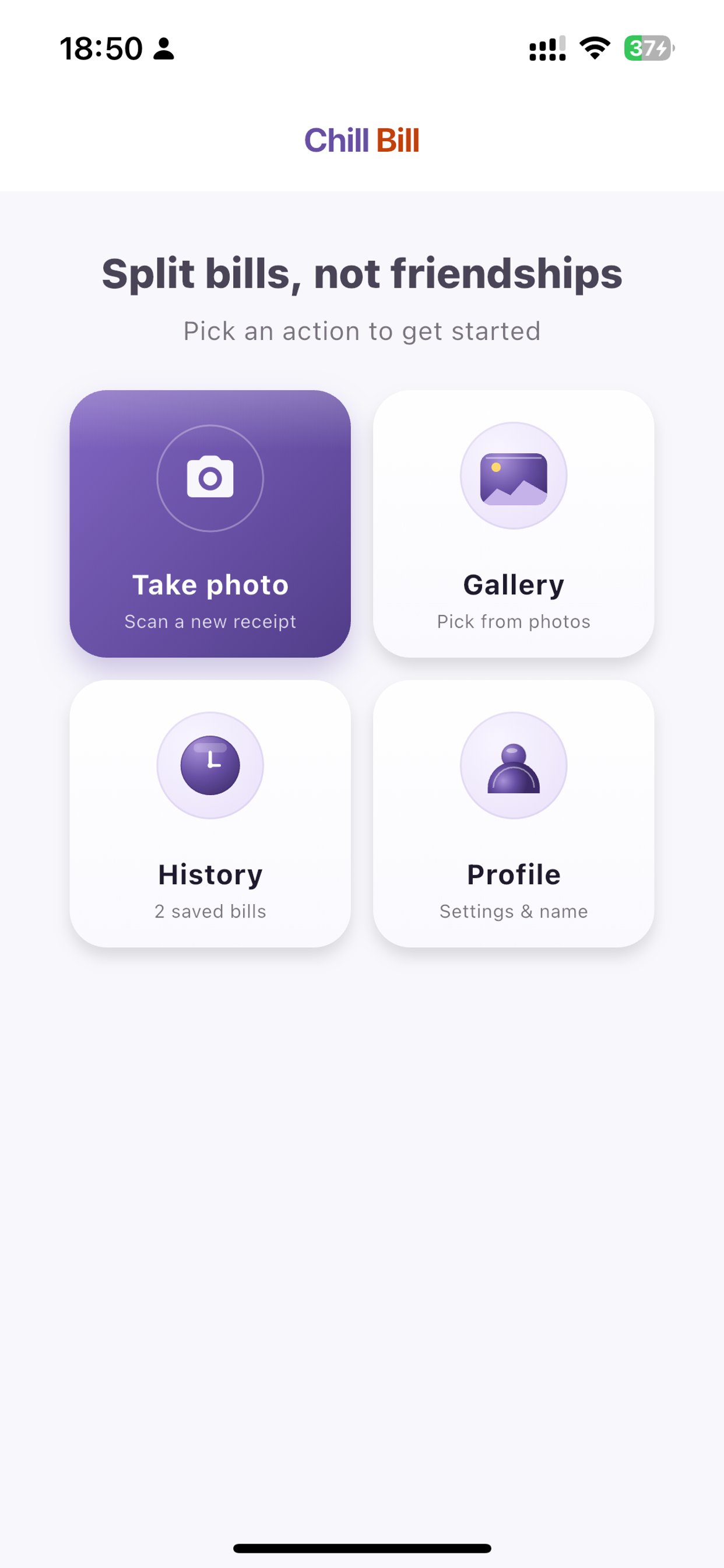
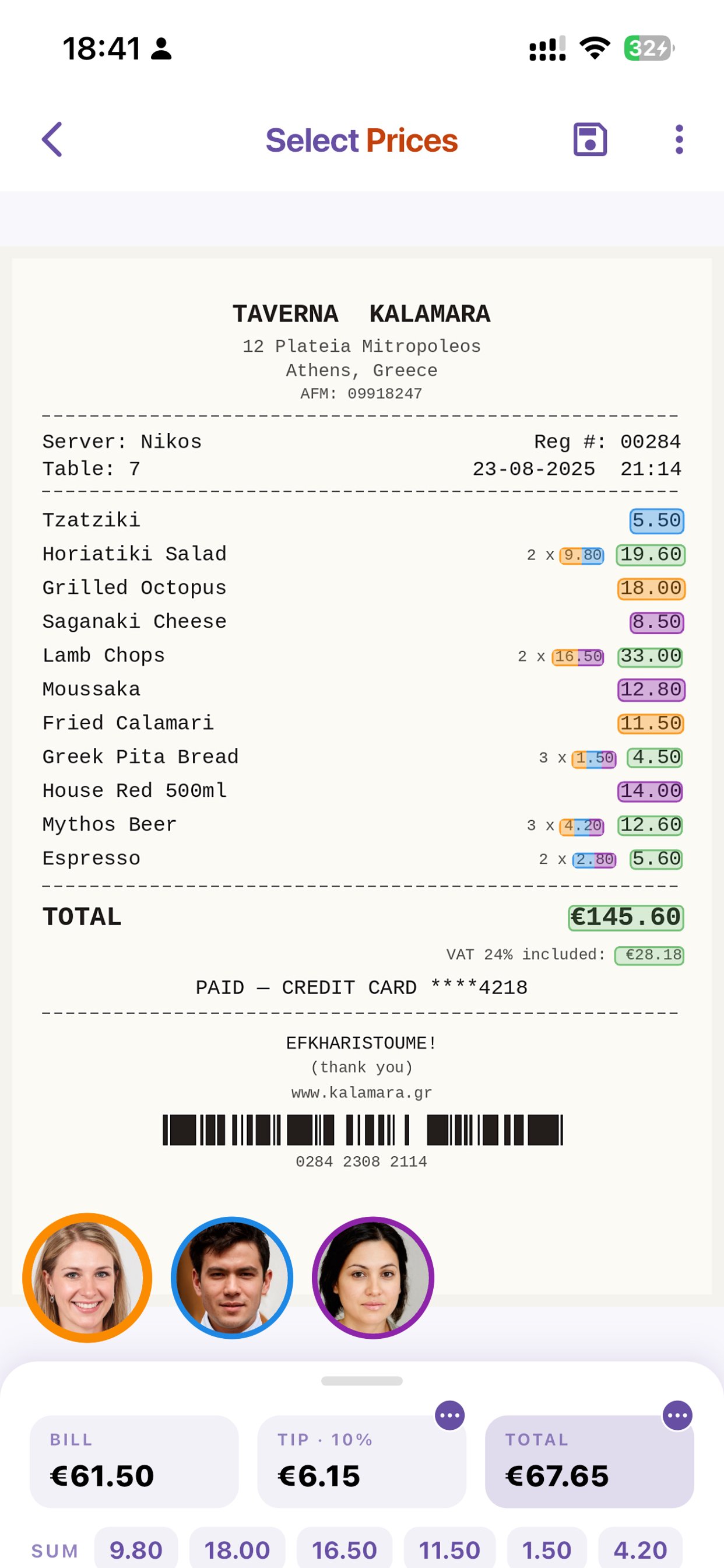
Chill Bill home screen with Take Photo, Gallery, History, and Profile tiles A Greek taverna receipt with colorful selections showing who ordered what Shared summary showing each person's portion of the bill with photos
What it does

Everything you need to split a bill, nothing you don't.

📸

Scan any receipt

On-device OCR using Apple Vision and Google ML Kit. No cloud round-trip, no waiting, no privacy worries.

👆

Tap to assign

Tap the prices that were yours. Friends do the same on their phones. Everyone sees who ordered what in real time.

🔗

Share a link

Send the bill to friends via any messaging app. They open it, pick their items, and the math handles itself.

💸

Smart tip + total

Adjust tip by percentage, by round amount, or set the exact total. The split rebalances automatically.

📍

Location tagging

The app pulls the restaurant from the photo's location or a tap on the map. History becomes a travel diary.

📊

Spending history

Daily, weekly, monthly, yearly. See where your money goes without lifting a finger.

Select Prices screen with multiple people's selections in different colors

The receipt becomes a shared canvas.

Every person picks their own color. Tap a price and it lights up. Tap a shared item and it splits between you. The original receipt stays untouched — Chill Bill is a layer on top, not a rewrite.
  • Multi-quantity items (2 × beers) split intelligently
  • Long-press to rescan a missed price
  • Mismatch warnings catch math errors before you save
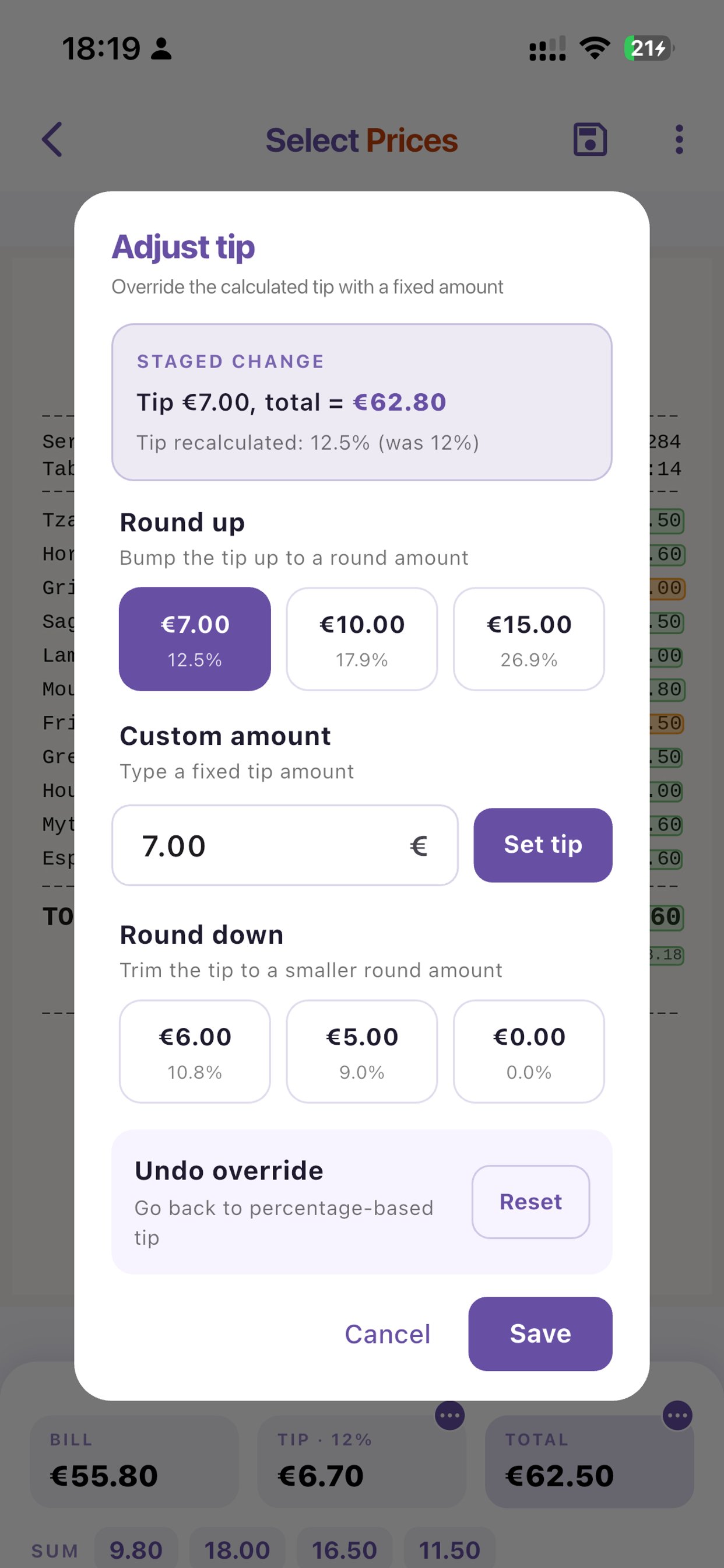
Adjust tip dialog with round-up, custom, and round-down options

Tip the way you actually tip.

Round up to a nice number. Drop a fixed amount. Match what you paid in cash. Chill Bill's tip controls cover every real-world case without forcing you into a 15/18/20% grid.

  • Round-up presets with percentage hints
  • Set the exact total you paid — tip recalculates
  • One-tap revert to the default percentage
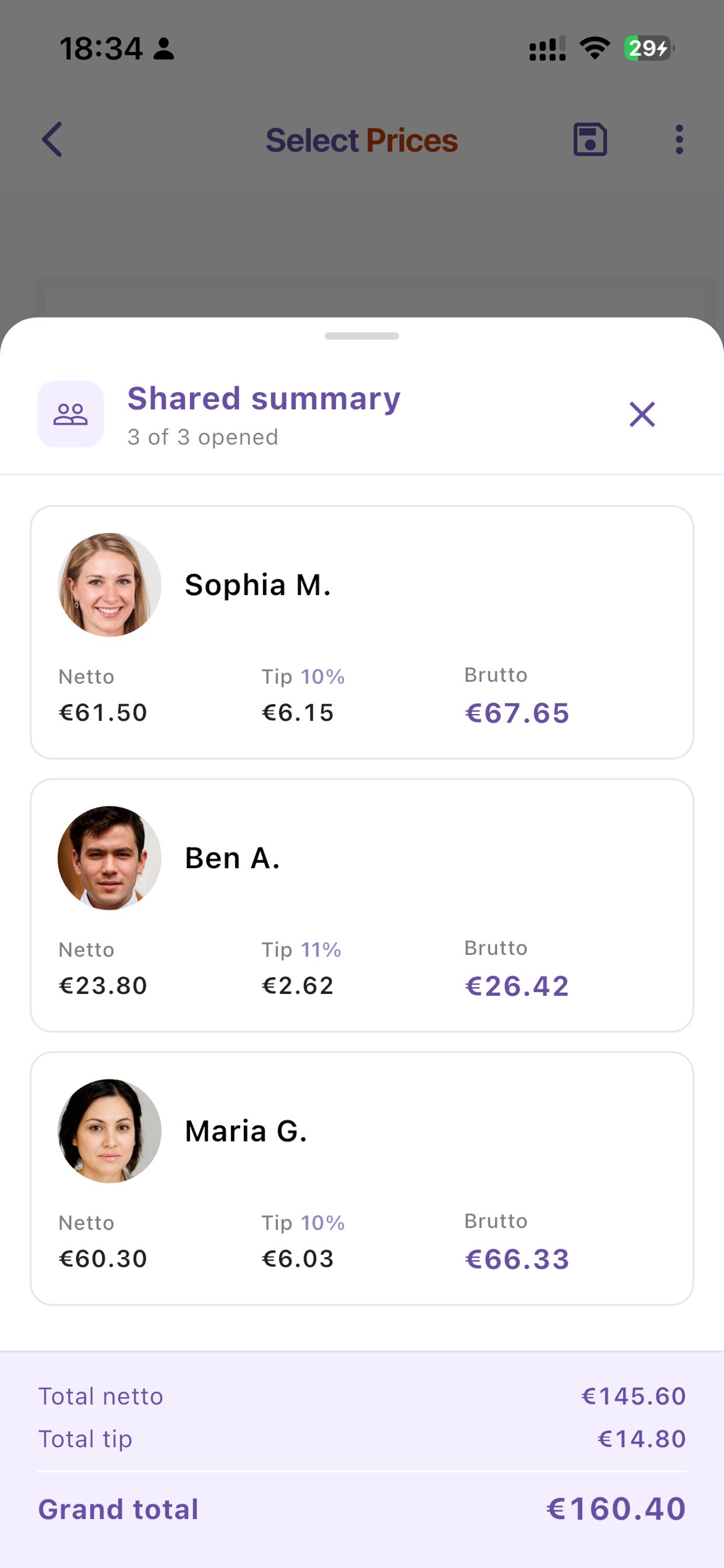
Shared summary showing Sophia, Ben, and Maria's portions

Everyone sees their own number — live.

When friends open the shared link, they don't see a wall of math. They see the receipt, tap their items, and Chill Bill shows them their netto, tip, and brutto. No spreadsheet, no PayPal request with a confusing memo.
  • Updates in real time as people select
  • Photos and names show who's who
  • No spreadsheets, no awkward Venmo memos
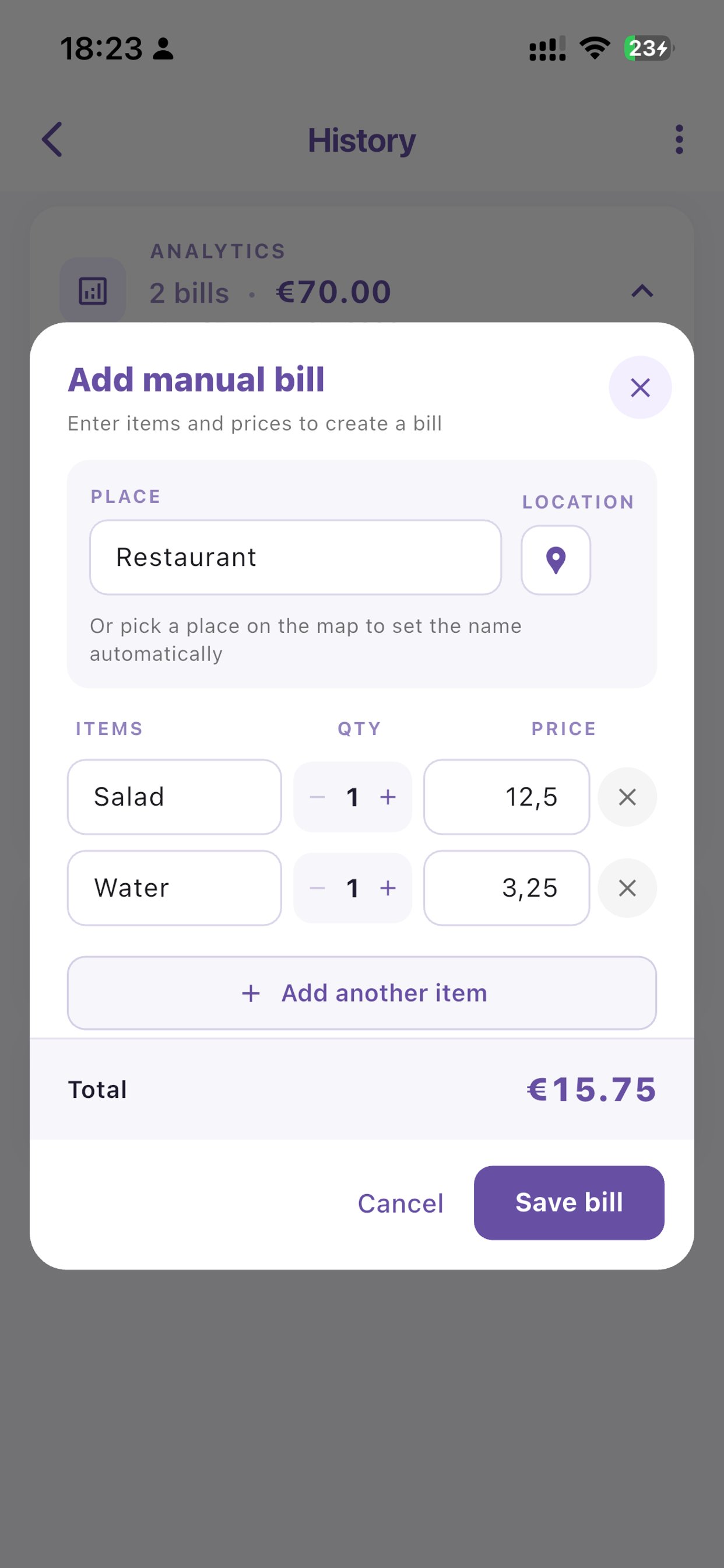
Add manual bill dialog for entering items without a receipt

No receipt? Type it in.

Coffee shop with no printed receipt, dinner where the server lost the slip, or just splitting groceries. Add items manually and Chill Bill generates a clean receipt-style summary you can share.
  • Quantity steppers for multi-item orders
  • Pick the place from a map or type it manually
  • Generated receipt looks just like the real thing
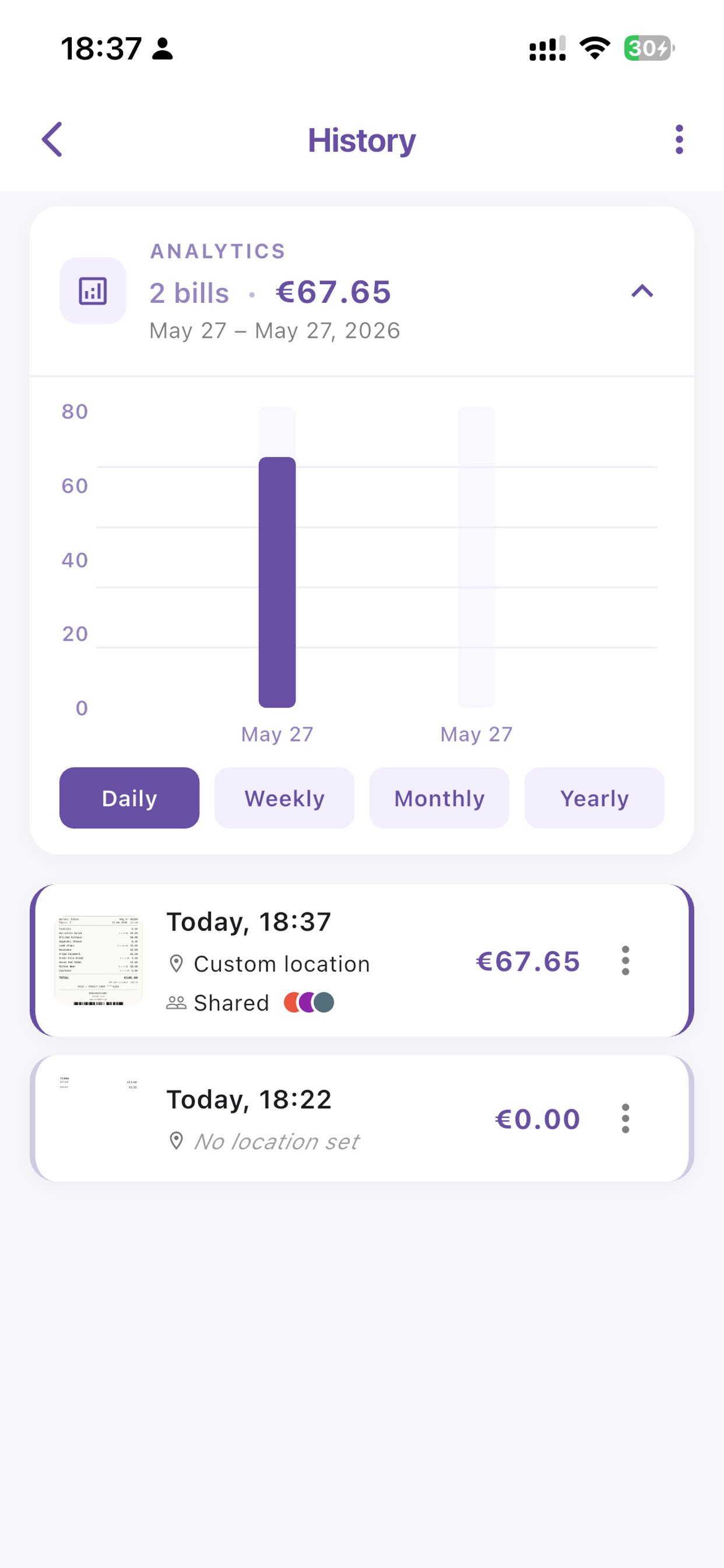
History screen with analytics chart and recent bills

Your bills, your history.

Every bill is saved locally. Daily, weekly, monthly, yearly analytics show where you spend. Swipe to share, open in Maps, or summary. Long-press for more.

  • Bills stay on your device by default
  • Sync across devices when you sign in
  • One-tap open in Apple Maps or Google Maps
Plans

Free to use, more if you want it.

Free

€0
always
  • Unlimited scans
  • Local-only history
  • Share up to 30 bills per week
  • 120 lifetime shares

Ultra

€6.99
per month · €69.99/year
  • Unlimited shares
  • Lifetime backup
  • AI bill scanning
  • AI price verification
  • AI location matching

Free users get a 6-month trial of premium features on first install. Cancel anytime in your App Store or Play Store settings.

FAQ

Common questions

Do my friends need to install the app?
Yes. When you share a bill, your friends open the link, which takes them to install Chill Bill (free) and then loads the shared bill in the app. From there they pick their items and see their share. We're working on a web viewer so guests can split without installing — coming in a future update.
Does it work offline?
Yes for scanning, editing, and saving locally. Sharing and sync require an internet connection because they involve sending the bill to other people.
What languages does the receipt OCR support?
Chill Bill uses on-device OCR (Apple Vision on iOS, Google ML Kit on Android), which recognizes Latin, Cyrillic, Greek, Chinese, Japanese, and Korean scripts among others. Number recognition is universal.
Where is my data stored?
Bills you don't share live only on your device. Shared bills are stored on Google Cloud (Firebase) under the controller Tetris Logistic Ltd. See the Privacy Policy for full details on GDPR rights, retention, and deletion.
How do I delete my account?
Profile → Delete account inside the app. This removes your server-side profile and account record. Local bills on your device stay until you remove them; bills shared with friends keep working for them.
Is there an Android version?
Yes — Chill Bill ships on both iOS and Android with feature parity.